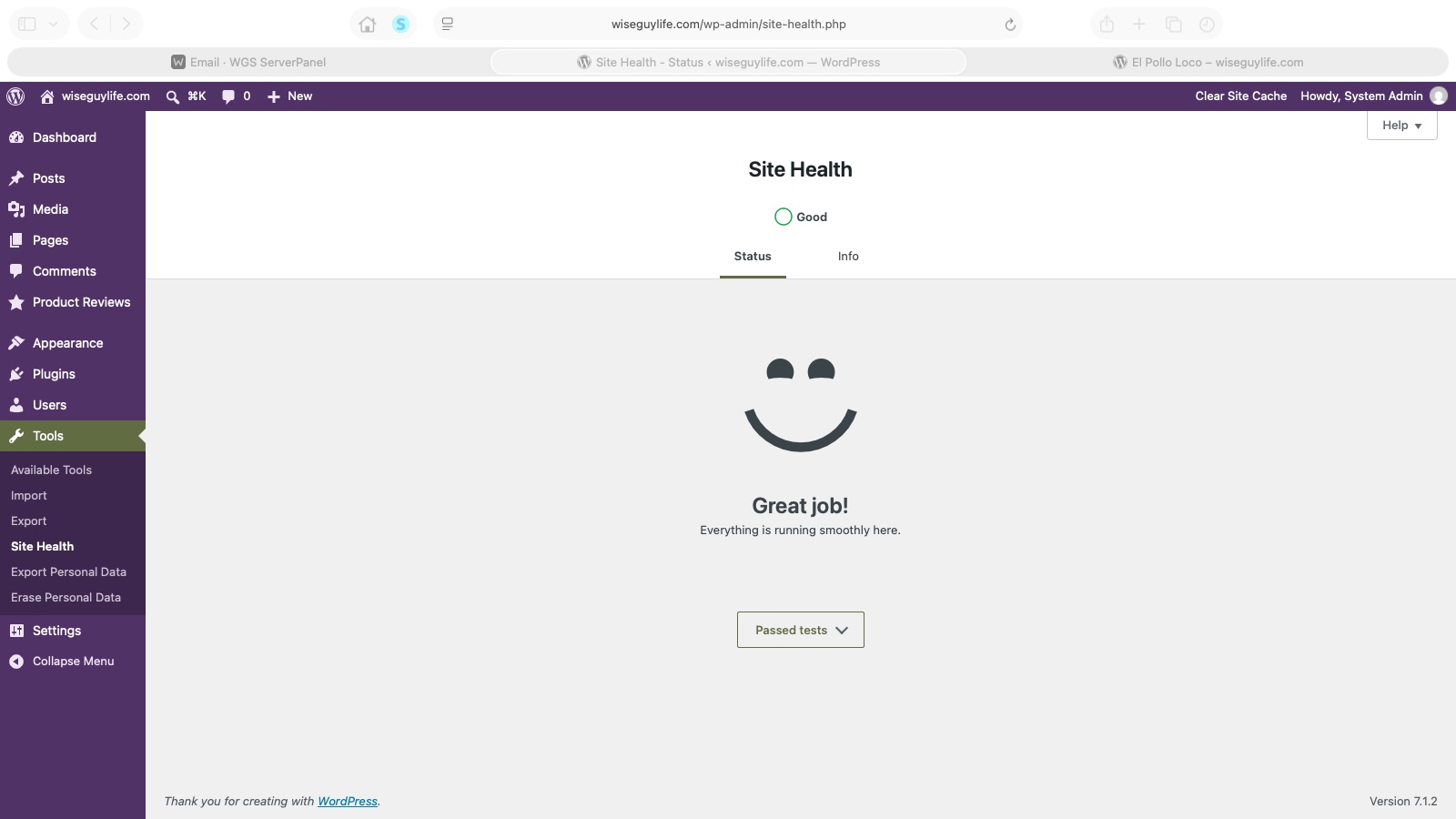
Eight things needed attention. About fourteen minutes later, WordPress had a much nicer message for me: “Great job! Everything is running smoothly here.”
This morning, I noticed that Wise Guy Life’s dashboard was flagging eight Site Health items. I asked my AI assistant to work through them. I was multitasking, giving direction and checking in while the technical work moved along.
It felt like just a few minutes. The chat timestamps give us a more useful record: 14 minutes and 20 seconds from my request to address the eight items to the confirmed completion report. That includes troubleshooting, conversation, access checks, backups, and verification.
What those fourteen minutes covered
The dashboard had one critical issue and seven recommended improvements. Here is what changed, in plain language.
- Background updates. WordPress couldn’t update its own files. We repaired the site’s file permissions and the relevant server security labels so updates can run. SELinux, the server’s security enforcement system, stayed enabled.
- Unused plugins. Inactive plugins were moved out of the public website into a recoverable archive. Their saved database information was preserved.
- Unused themes. Two unused themes were archived. My active Wise Guy Life theme and a standard WordPress fallback theme were kept.
- Image processing. We installed the missing Imagick extension. The packaged version didn’t match our PHP version, so the assistant built the official extension for the PHP version already running on the server. A small image-generation check confirmed it worked.
- The database server. MariaDB was upgraded from 10.5 to 10.11. Backups came first, followed by the upgrade and database checks.
- Scheduled maintenance. The overdue job had caught up by the time it was checked. We added a server trigger every five minutes so scheduled tasks have a regular opportunity to run, and verified WordPress’s scheduler.
- Filesystem access. WordPress’s file-access setup was corrected so it no longer asks for FTP credentials to perform these operations.
- Page caching. Cache Enabler was installed and configured. We verified that the public site actually served cached HTML. The server’s response time was already acceptable; this adds caching rather than proving a specific speed increase.
The final checks covered the database, WordPress’s core files, image processing, scheduled jobs, the public homepage, and cached responses. Then we refreshed the actual Site Health screen. The result was Good, with all tests finished and no remaining items listed.
How long did the whole morning take?
The Site Health repair was one part of today’s work. Our first recorded conversation about Wise Guy Life began at about 8:45 a.m. Mountain time. The all-clear report came at 11:00 a.m. That makes the broader session about 2 hours and 15 minutes.
Earlier in the morning, we simplified navigation, refined wording, worked on the “Success” article and its screenshots, repaired media-upload permissions, and published “Hi, neighbor!” The Site Health work began at 10:46 a.m.
Those are elapsed clock times. They include pauses, conversation, approvals, and the other things I was doing. We did not separately track my hands-on minutes or the assistant’s active processing time. The site and server also existed before today; this was a maintenance and publishing session on an existing project.
What I’m learning about working with AI
There was a useful lesson in the interruptions, too. The assistant initially asked me for administrator access we had already established. I asked it to review our earlier conversations. It found the existing setup, verified it, and continued. We saved a standing instruction to check that history before asking me to repeat setup.
That is part of the experience I want to document here: the progress, the friction, and the corrections. I still provide the direction and review the outcome. The assistant handles a lot of the detailed investigation and implementation while I can keep doing other things.
Going forward, Exploring AI posts will include a time log. Where we have documented start and finish times, we’ll show them. Where we don’t, we’ll say so. That should make it easier to see what each experiment involved without turning a feeling of “that was quick” into an unsupported claim.
For today, I’m happy to have a working site, backups, and that “Great job!” screen to mark another small step forward.
One comment